SherlockEQ 1.0 is here. Out of beta after 37 releases on the 0.x line. Nothing changed from 0.9.8 — that is the point: the last release had nothing left to fix, so the version number caught up. Release notes
macOS doesn't ship a per-ear parametric EQ. Now there's SherlockEQ. It taps system audio, splits the chain by ear, and gives you the controls to investigate a tinnitus tone, shape an audiogram into compensation, refine sound to taste, and soften harshness or lift voices only when they need it. No virtual driver. No kernel extension. No paywall.
Independent L/R biquad chains via the Audio EQ Cookbook formulas. Seven filter types: parametric, shelf, notch, band/low/high pass.
Continuous-phase sine sweep across the audible band, fine-tunable down to a single hertz.
The render thread memcpys into a ring buffer; the 2048-point FFT runs off the audio thread on vDSP / Accelerate.
Hand-rolled biquad cascade in the source-node render block. Bypasses AVAudioUnitEQ's stereo coupling, so a left-ear notch leaves the right channel untouched.
Three feed-forward processors — de-ess, harshness, presence — that cut or lift only while the triggering sound is present, then relax. Zero added latency; the limiter stays the ceiling.
Pulls headphone correction targets on demand from the AutoEQ project — thousands of measured profiles, no bundle to update.
A continuous-phase sine sweep across the audible range, fine-tunable to one hertz. When the tone matches, set it as a per-ear notch and remove only that frequency from playback.
Drag thresholds on a log-frequency chart for each ear. SherlockEQ converts them into a biquad EQ that compensates only where you actually have loss, and shows the resulting curve in real time.
Four EQ modes from one-knob shelves to a fully parametric canvas. Independent left and right chains. Headphone correction via AutoEQ profiles. Listening Comfort tools soften harshness or sibilance and lift voices dynamically — only when they need it. A live spectrum with safety overlays and a NIOSH equal-energy dose tracker on top.
 SherlockEQ, running on macOS
Actual app UI · captured on macOS
SherlockEQ, running on macOS
Actual app UI · captured on macOS
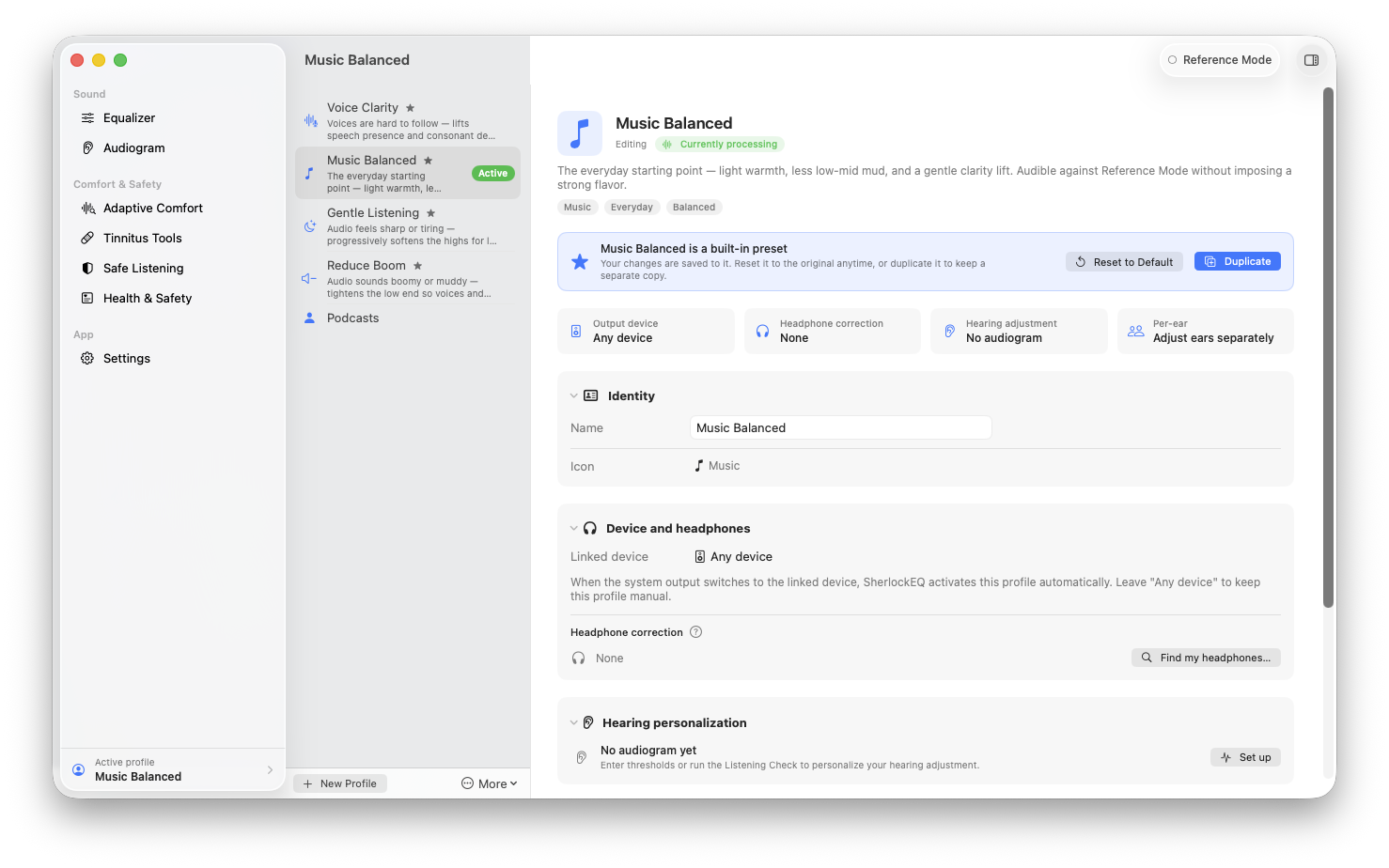
One profile per situation — output device, headphone correction, and hearing adjustment travel together and switch in a click.
SherlockEQ uses the Core Audio Tap API Apple shipped in macOS 14.2 to read system audio at the source. No virtual driver, no kernel extension, no audio routing to configure. Permissions are managed by macOS itself.
The hearing and tinnitus tools are there if you need them, but the EQ underneath is the same one a producer or careful listener would reach for. macOS does not ship a system-wide parametric EQ. This is one.
Every feature is per-profile and optional. Run with just a master gain. Or layer in the safety overlay, notch filter, headphone correction, dose tracking — whatever you want.
Native Swift, no Electron. Direct download, not Mac App Store — the App Store sandbox prohibits the cross-process audio read that the Core Audio Tap API needs. The DMG is Apple-signed and notarized.
Signed and notarized .dmg from GitHub Releases. Drag SherlockEQ into Applications and launch.
SherlockEQ-1.0.3.dmg
11.1 MBInstalls the same notarized bundle and tracks updates via brew upgrade. The in-app updater stands down when installed this way.
brew tap smbrownai/sherlockeq
brew install --cask sherlockeq~/Library/Application Support/SherlockEQ/. Nothing leaves the machine unless you export it.
On the name. Sherlocking is what happens when Apple ships a feature that copies an independent app. SherlockEQ is built around exactly the kind of system audio processing macOS does not expose. So: Apple, sherlock this. The author would consider that a win.
On the build. Designed and directed by Shawn Brown: features, defaults, audio choices, what shipped and what got cut. Code written collaboratively with AI tooling (primarily Claude Code) under that direction. Every product decision is human; the result is what matters.